
Overview
ANSYS HFSS is well known for its frequency domain Finite Element Method (FEM) solver and its efficiency in handling complex geometries and materials. HFSS also incorporates a complementary time domain solver which tracks the evolution of electromagnetic fields and signals in response to time-varying excitations. This solver is best suited for studying transient phenomena, ultra-wideband signals, EMC/EMI events, and other cases where broadband or pulsed excitation is used.
In this demo we will be using the ANSYS HFSS and Circuit to perform time domain simulation for extracting S-parameters for a filter and compare them with the HFSS FEM frequency domain solver. Below is a brief overview of an HFSS transient example to simulate a filter response and a full demonstration is provided in the video link.
HFSS Time Domain Analysis
There are 2 approaches to perform time domain analysis;1) using the HFSS transient solver, and 2) using the Circuit transient solver.
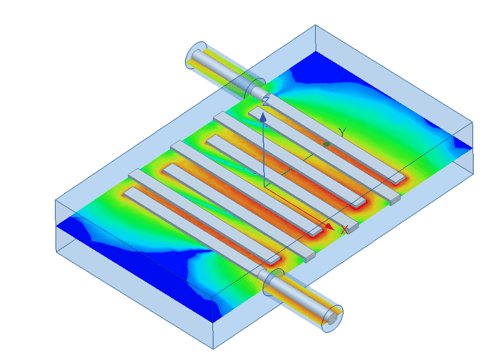
Using the HFSS Transient Solver
The HFSS Transient solver in Ansys HFSS is a specialized time-domain solution tool for high-frequency electromagnetic simulations. Unlike traditional frequency-domain solvers, it computes electromagnetic field behavior as a function of time, making it well-suited for scenarios involving pulsed excitations, rapid changes in signal, or transient phenomena such as ultra-wideband antennas, lightning strikes, electrostatic discharge, and time-domain reflectometry (TDR) applications.
In this demo, we will simulate the filter response using HFSS transient analysis and visualize the fields versus time.
Transient Solver Configuration
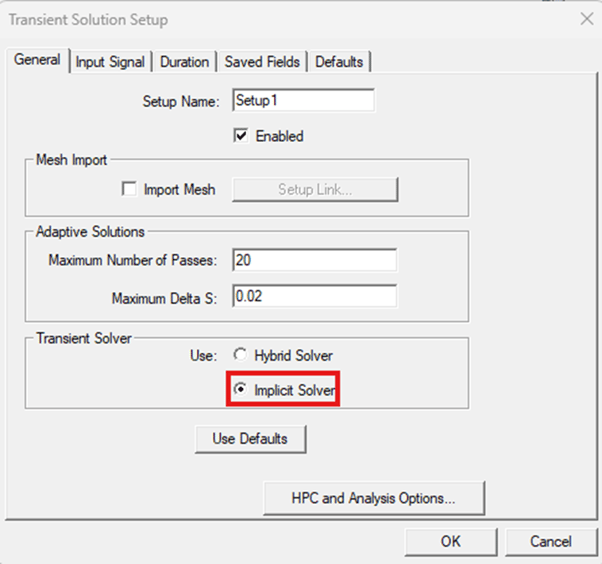
Users can choose between Hybrid and Implicit solvers in the setup panel. The Hybrid solver is based on the explicit-implicit discontinuous Galerkin time-domain method and supports GPU acceleration for faster computations, optimized for Nvidia Tesla cards. It is more efficient for electrically large problems.
The implicit solver is based on the finite element time domain (FETD) method with an implicit time stepping. Change the setting to Implicit for cases which the Hybrid Solver may not perform optimally. This typically refers to structures which are discretized into a small number of tetrahedrons but the required time step for the Hybrid becomes extremely small hindering the performance. Consequently, it takes longer for the simulation to finish. Furthermore, the Implicit Solver is in general better suited for low frequency analysis of electrically small structures with small vias, thin wires, thin slots, narrow gaps, and thin dielectric/metal plates.
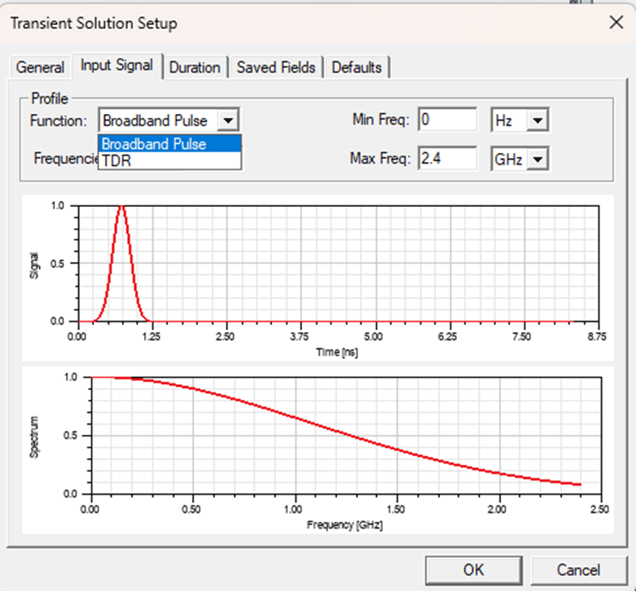
Profile Function
The transient solver has 2 types of signal profiles 1) broadband pulse, 2) TDR pulse
Duration
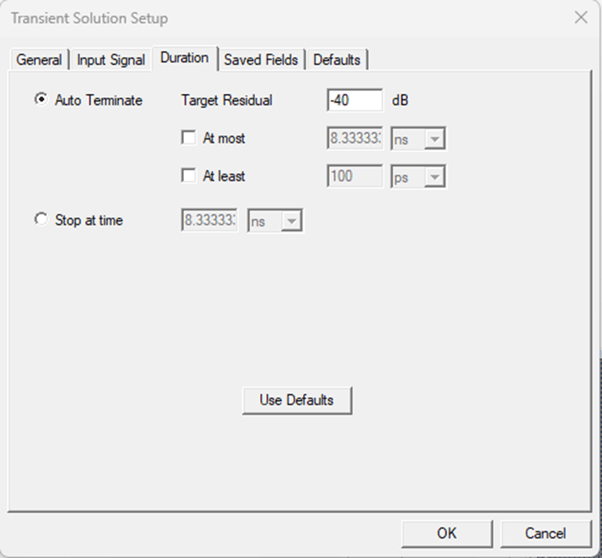
Use the Duration tab of the Transient Solution setup to specify the either Auto Terminate and/or At most time and periods. If you select the Auto Terminate radio button, you can also edit the Steady State Criteria value.
Below is the comparison between the S-parameters simulated using the frequency domain solver and using the HFSS transient solver based on broadband and TDR signal profiles. As seen, results show excellent agreement.
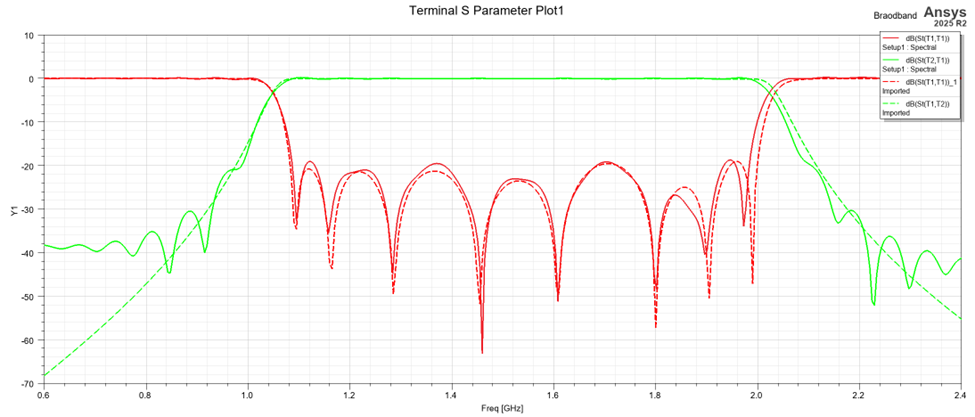
S-parameters comparison between HFSS frequency domain solve versus Transient with broadband signal source
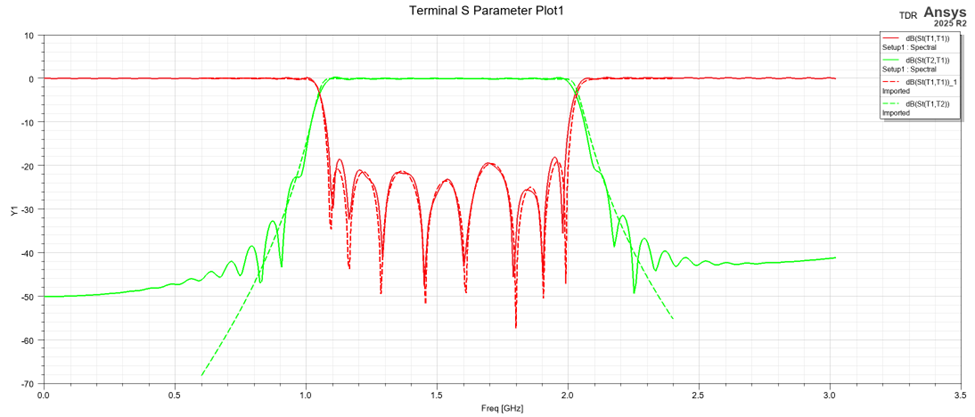
S-parameters comparison between HFSS frequency domain solve versus Transient with TDR signal source
Visualizing Fields Versus Time
Saved fields in transient solutions are limited to user-selected surfaces and time points due to the large data sizes produced in time-domain analysis, and interpolation/extrapolation may be used for specific requests. Patterns and 3D plots are supported as post-processing options.
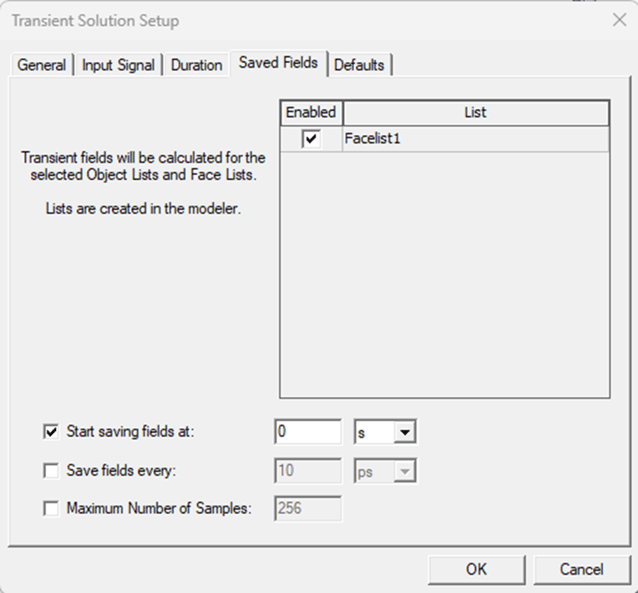
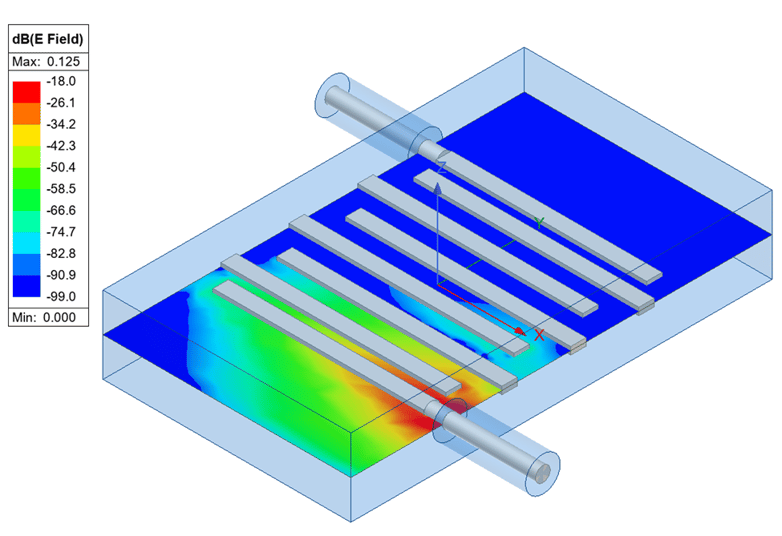
E-field versus time simulation with HFSS transient
HFSS Transient Composite Excitation
Using composite Excitation Solution type different ports can have different excitations. All Active excitations are launched in one simulation. User can define different types of time profiles and can import external signals. In this case, the time profiles are defined as part of the excitations, because excitations can have individual profiles in a Composite Excitation solution analysis. No S-parameters or TDR results may be available, but saved fields can be visualized, and voltages and currents can be monitored.
In the transient tab below, we show an example of defining a sinusoidal signal with a frequency of 2.4 GHz to compare with the circuit transient simulation.
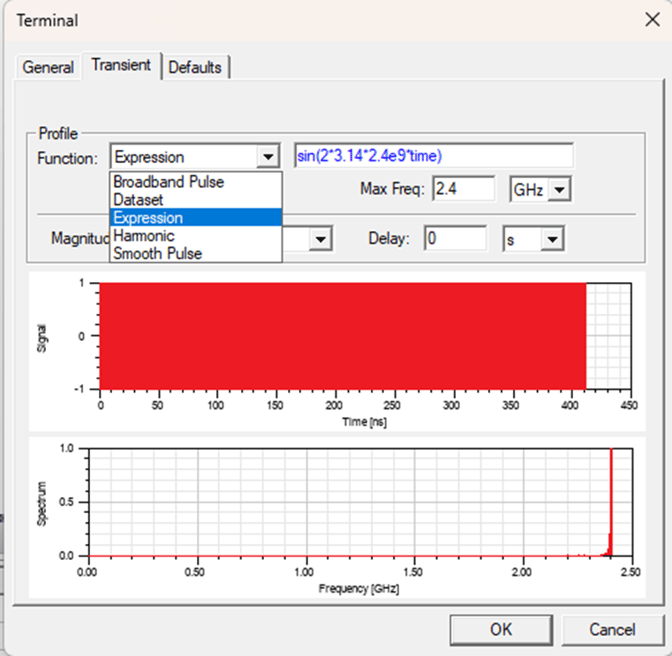
Time profile options using the composite transient excitation solution type.
Using The Circuit Transient Solver
The other approach to perform time domain analysis, is by simulating the structure using the frequency domain solver and then couple the results into circuit to perform the Circuit transient analysis. This approach is more efficient when having many time steps and long time duration.
In this blog, we will simulate the filter response using HFSS frequency domain solver and then link the extracted S-parameters into circuit design to perform Transient Circuit analysis, as seen in the figure below.
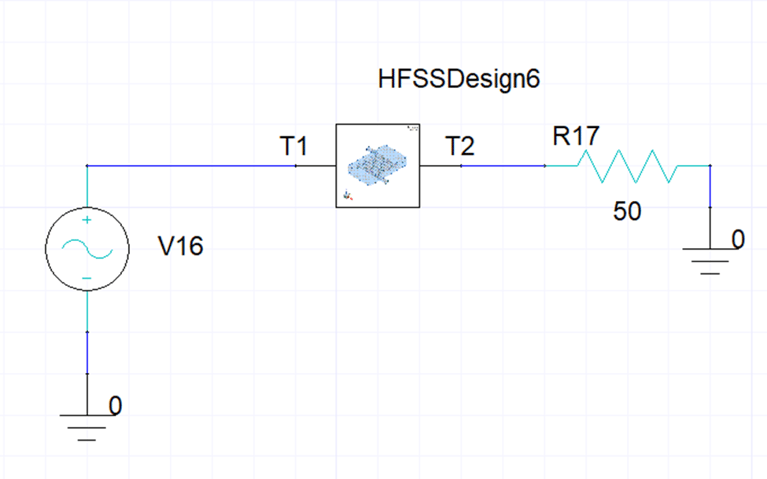
Circuit schematic to perform transient simulation in in ANSYS Circuit
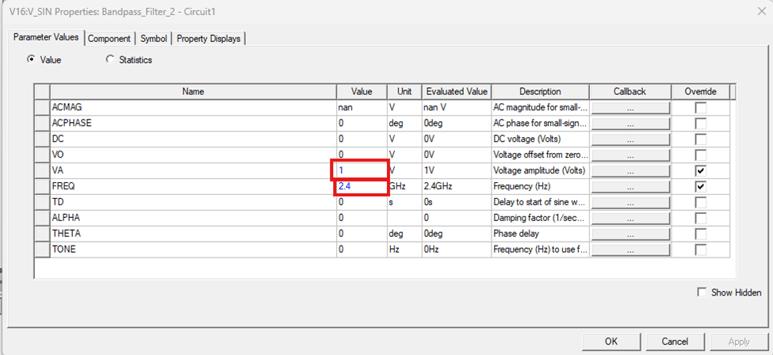
Input signal definition in circuit
The figure below compares the output voltage versus time at the second port simulated using both HFSS transient and circuit transient. As seen, the results show excellent agreement.
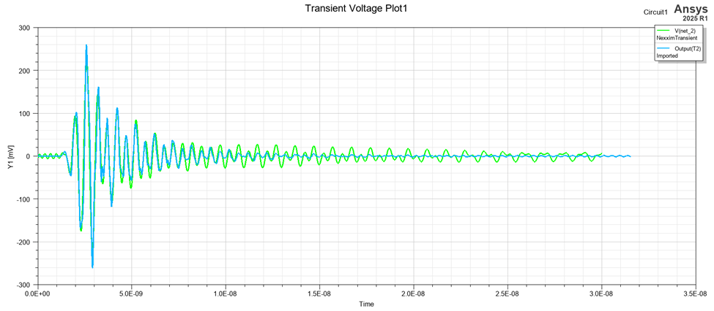
Comparison of the output voltage simulated with circuit and HFSS transient solvers
The video link below shows an illustration on how to do these steps in detail, and the model shown is available in the downloadable resources.
Downloadable Resources
Bandpass_Filter